 吾爱下载网
Win7系统office2007出现setup error错误的解决方法
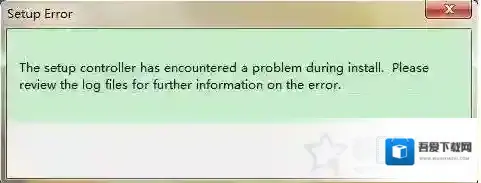
一般使用Win7系统的朋友都会搭配office2007来使用,但是有一些用户反馈在打开office的时候报错“SETUP ERROR”对话框,错误提示为“the setup controller has encountered a problem during install .Please review the log files for rurther information on the error.”可是这么一串英文咱也看不懂啊,这是怎么回事呢?
故障图如下:
Windows7解决方法
报错提示:“the setup controller has encountered a problem during install .Please review the log files for rurther information on the error.”,翻译为“安装控制器在安装过程中遇到了问题。请查看日志文件以获取有关错误的更多信息”。
解决方法
方法1:完全卸载Office2007后再重新安装保证可以解决方法2:如果没有安装包的话,我们也可以这样解决打开C:Program FilesCommon FilesMicrosoft SharedOFFICE12文件夹,然后,找到“Office Setup Controller”文件夹,然后重命名或者删除,第二种方法Win7系统之家小编亲测有用。
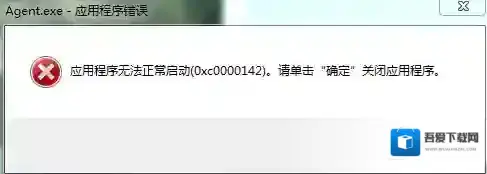
玩游戏时出现0xc0000142的弹窗时该如何解决?
Windows7运行库修复
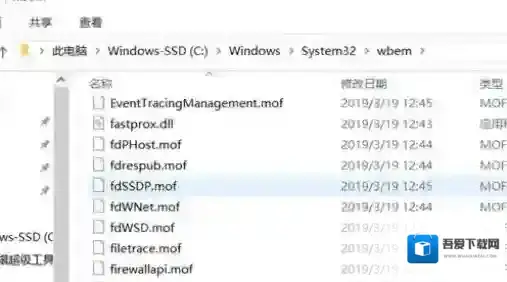
工具Windows 7 64位操作系统操作流程1.打开计算机,进入“C:WindowsSystem32wbem”,找到“Framedyn.dll”,右键点击打开菜单,选择复制
Windows7点击
2.返回“C:WindowsSystem32” ,使用“Ctrl + V”快捷键将“Framedyn.dll”文件粘贴到System32文件夹中即可。
Windows7点击
3.重启软件
解决方法二:
工具快快运行库修复助手(下载地址:快快运行库修复助手)操作流程1.下载快快运行库修复助手,点击运行库修复一键扫描2.扫描完成后点击修复即可

Windows7操作流程
3. 重启该软件